
5 Best Free Classifieds WordPress Themes in 2026
Check the collection of the most popular free classified ads WordPress themes.

Listeo vs HivePress for directory and rental sites, with real costs and the terms that matter before you buy.

Listeo is one of the best-known directory themes on ThemeForest, with more than 10,000 sales. It packs all of its features into a single theme, and for many site owners that’s exactly the appeal.
If you’re looking for a Listeo alternative, chances are you’ve hit one of three limits. Listeo’s features only work with the Listeo theme, so switching to a new design means rebuilding your site. Its one-time price leaves out paid add-ons for features like advanced bookings and recurring listing plans. And its refund window is 7 days, only for defects that support can’t fix.
HivePress answers all three. Its features live in a plugin, so a new design means switching the theme, not rebuilding the site. The basics of a directory, from listings and search filters to maps, reviews and messages, are free, while Listeo starts at $89. And if HivePress turns out to be the wrong fit, you have 30 days to get your money back without giving a reason.
Below is a full Listeo vs HivePress comparison, checked in 2026.
Quick verdict: Choose Listeo if you want an Elementor-based design and vendor lock-in doesn’t worry you. Choose HivePress if you want to own your directory outright: an open-source core, features that stay with you through every redesign, and an active community with a growing ecosystem of themes and extensions.
Here’s how the two compare side by side. Most rows get their own section below.
| HivePress | Listeo | |
|---|---|---|
| What it is | A free directory plugin and marketplace builder | A WordPress theme with its features built in |
| Price to start | Free core plugin and free ListingHive theme | $89 |
| Additional costs | Extensions $29 or $39 and premium themes $69 or $89, all lifetime licenses; $99/year all-access plan | Paid add-ons from $29 to $159 |
| Refund window | 30 days, no reason needed | 7 days, only for a defect support can’t fix |
| Multilingual | WPML integration and RTL support | TranslatePress integration |
Listeo ships its design and its features as one product, so you can’t change one without the other. HivePress keeps them apart: the features live in a plugin, and the design comes from a theme made for your niche. Most of the other differences between the two start here.
Why does that matter? WordPress has an unspoken best practice: themes handle how a site looks, plugins handle what it does. Keep the two separate, and you can redesign without rebuilding everything from scratch. Bundle them, and you’re locked in with one vendor. If the theme stops getting updates, everything your site runs on stops with it.
That risk is real on ThemeForest, where plenty of themes have been abandoned. Jobster, a job board theme, is one example: its last update came out in January 2025, and buyers’ questions have gone unanswered for months.
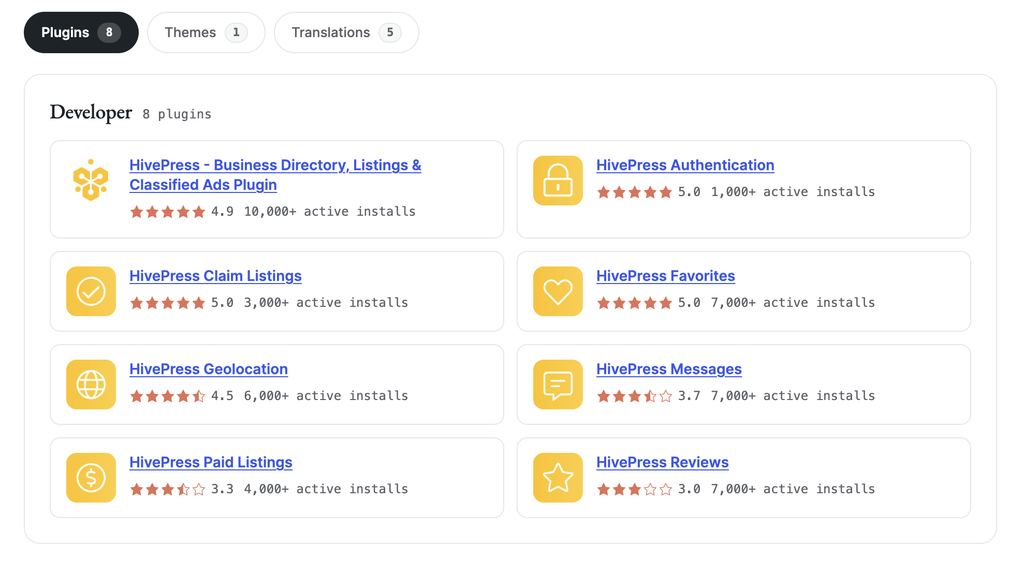
HivePress avoids that trap by design. The plugin is free on WordPress.org, with 10,000+ active installations and a 4.9 rating, and its code is open on GitHub. You can launch with ListingHive, one of the most popular WordPress directory themes, and move to a niche HivePress theme like ExpertHive as your business grows. All your features stay put, because they belong to the plugin, not the theme.
If you expect your site to outlive its first look, HivePress is the safer foundation.
Both tools cover what a directory needs on day one. The real difference is how much you pay to get there.
Listeo’s $89 license covers the core of a directory and goes beyond it. Alongside user-submitted listings, custom fields, search filters, maps, reviews and user dashboards, it includes daily, hourly and event bookings. It also offers AI features, such as a chat assistant and AI smart search. These run on your own OpenAI account, so you pay those providers for usage on top.
Just don’t treat $89 as the final price. In Listeo, advanced bookings need the paid Booking Plus add-on, subscription listing plans need Monetization Plus, and Etsy-style product stores need Dokan, a third-party plugin with Pro plans from $149 a year.
The Pricing section adds up what that means for a real project.
HivePress starts at $0. The core plugin and its free extensions, all listed on WordPress.org, cover user-submitted listings, custom fields and search filters, user accounts, maps, reviews, messages, favorites and listing claims. Pair them with the free ListingHive theme, and you have a working directory without paying anything. For a classic business directory, that can be all you ever need.
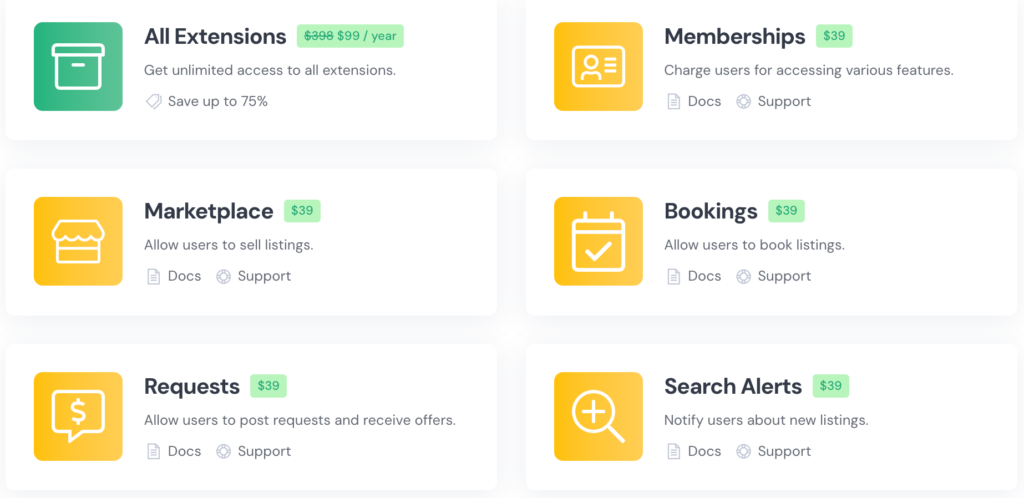
Beyond the free set, paid extensions add features that improve the user experience or open up monetization options like Memberships. And because the core is open source, the ecosystem keeps growing with the community: other developers build and share their own extensions for it too.
If you’d rather buy everything in one go, the way Listeo sells it, HivePress niche themes cost about the same.

Listeo is the easier tool for visual design. HivePress keeps pages lighter and works with the standard WordPress screens.
Listeo’s design tools are its strongest point. Its homepage lists 80+ widgets for Elementor, a popular drag-and-drop page builder, and its form builder lets you add, remove and reorder fields. If you like seeing changes as you make them, this is a pleasant way to build a directory.
That flexibility comes with two costs.
The first is weight. Elementor loads extra code on every page it builds, and Listeo’s homepages are built entirely on it. You get visual control, but your pages are heavier than ones built with the standard WordPress editor.
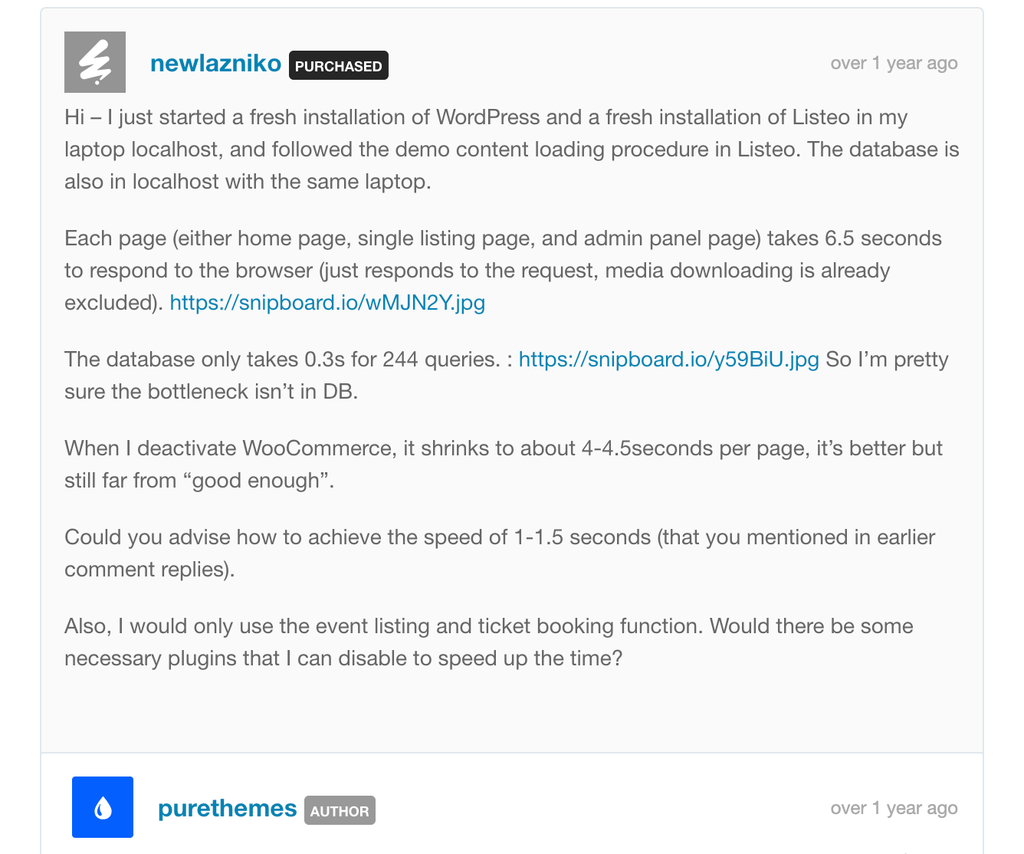
Speed is also where Listeo’s marketing and its buyers’ experience part ways. The homepage says the theme is proven with 20,000 listings on a small 2 GB server. In the theme’s comment threads, one buyer measured about 6.5 seconds per page on a fresh install, against 1.5 seconds for a default theme on the same machine, and another reported a 20-second load on mobile.
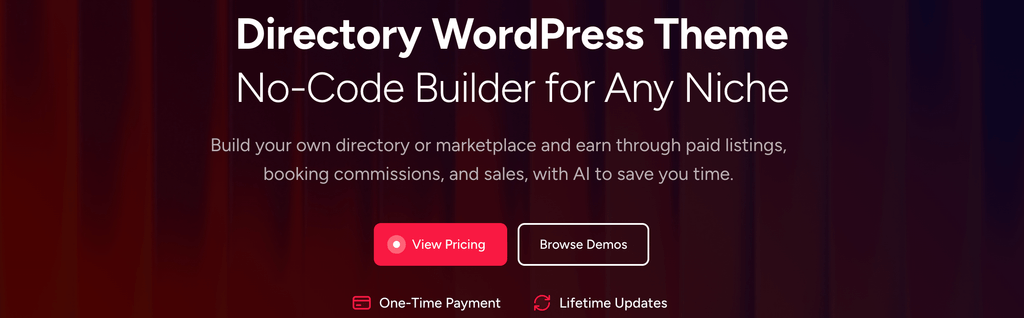
The second is expectations. “No-Code Builder for Any Niche” is the headline on Listeo’s homepage, and not every buyer finds it that simple. A Reddit post titled “Using Listeo is not as easy as marketed” sums it up: the poster expected a drag-and-drop experience and found that only a few options worked that way, with custom code needed to control the rest.
HivePress works with the tools WordPress already gives you. Page templates can be customized in the WordPress editor. Custom fields are added in the dashboard, in the section they belong to: listing fields under Listings, vendor fields under Vendors, and so on. From there, you choose where each field appears and which ones become search filters.
When you need something HivePress doesn’t do yet, you’re not stuck. The developer docs explain how to customize it with code, the community forum has many working code examples, and the team regularly shares snippets for features that are still in development.
Listeo’s pitch is one payment and nothing after it. PureThemes’ own pages tell a longer story, so let’s go through it in the order you’d actually spend money.
Bought direct from PureThemes, Listeo costs $89 for 1 site with 12 months of support, and there are multi-site packages if you run several projects. It’s also sold on ThemeForest, where it costs $119 and comes without support, so the direct license is the one to compare.
You don’t have to pay anything to launch with HivePress. The core plugin, its free extensions and the ListingHive theme are free. Beyond that, you buy only the products your site needs, each with a lifetime license for one site: extensions cost $29 or $39, and niche themes cost $69 or $89 with the extensions their business model needs already included. If you plan to use several products, the $99/year all-access plan covers every HivePress theme and extension.
Listeo’s pricing page promises no subscriptions, and the theme itself is a one-time purchase. Several features, however, are separate add-ons, and some are sold as yearly plans. Here’s what that looks like in practice.
Most directories make money the same way: owners pay to list, members pay to see more. Both products sell an add-on for exactly that, which makes it a fair side-by-side.
| HivePress Memberships | Listeo Monetization Plus | |
|---|---|---|
| Price | $39 lifetime | $69/year or $159 lifetime |
| If you stop paying | Not applicable, it’s a one-time purchase | Annual plan: your plans keep working, but you lose security updates and the ability to change the plugin’s settings |
The lifetime version of Monetization Plus costs about four times as much as HivePress Memberships, and the annual plan alone comes close to HivePress’s $99/year all-access plan, which covers every HivePress theme and extension. The same pricing model applies to other Listeo add-ons, like PurioChat Pro, the AI chat upgrade, at $49 a year or $89 for a lifetime license.
So with Listeo, “pay once” is closer to “pay once to get started.” The theme is a single purchase, but the features that earn money or take advanced bookings each have their own price, and some of them renew every year.
A local business directory with listings, search filters, maps and reviews costs nothing in year one with HivePress and $89 with Listeo.
| HivePress | Listeo | |
|---|---|---|
| Setup | Core plugin, free extensions and ListingHive theme | Listeo theme, $89 |
| Year one | $0 | $89 |
A rental marketplace with bookings, where owners pay for a membership to list, costs $128 in year one with HivePress and $248 with Listeo. Here’s the breakdown for one site, using direct prices.
| HivePress | Listeo | |
|---|---|---|
| Base | RentalHive theme, $89 (Marketplace and Bookings included) | Listeo theme, $89 |
| Monetization | Memberships, $39 | Monetization Plus lifetime, $159 |
| Total Cost | $128 | $248 |
Add Booking Plus for advanced booking features, and the Listeo total rises to $297, the price of three years of HivePress’s all-access plan.
Listeo refunds are limited to 7 days and only cover a material defect that support can’t resolve, under section 10 of the PureThemes Terms of Service. Changing your mind, lack of technical skill or a limitation mentioned in the docs don’t count.
Picture a common case. You buy Listeo, spend a weekend with it, and realize the Elementor workflow isn’t for you. That’s a change of mind, and change of mind is on the exclusion list.
HivePress’s refund policy gives you 30 days on any license or subscription, and you don’t have to give a reason. That’s one of the most generous refund terms among WordPress directory tools. Many competitors limit refunds to defects, like Listeo, or to 14 days, like Business Directory Plugin.
Listeo’s marketing says support usually replies within 24 hours. The contract is less specific: section 9.1 of the terms says support is by email only, is provided “on a reasonable-effort basis,” and comes with no promised response time.
HivePress gives you several ways to get help. Support tickets get an answer within 24 hours on weekdays. The community forum is public, so you can see how real questions get handled before you buy. The documentation covers setup and customization, and the HivePress AI assistant answers questions 24/7, weekends included.
If you want a refund you can actually use and a stated response time for support, HivePress gives you more protection as a buyer.
There’s no single winner for every project. There is a clear winner for most of them.
Choose Listeo if:
Choose HivePress as your Listeo alternative if:
If you’re launching a directory, a rental marketplace or a service platform and you want to keep costs and risk low in year one, HivePress is the one to start with.
For most directories and marketplaces, HivePress. Its core is open source and its ecosystem is open to other developers, so your site isn’t tied to one proprietary theme or one vendor’s add-ons. You also get more protection as a buyer: prices are clear upfront, licenses are lifetime, and you can get a refund within 30 days without giving a reason. Listeo is the stronger pick if an Elementor-based design and built-in AI features matter most to you.
HivePress, for most directory and marketplace projects. It’s a free directory plugin and marketplace buider with niche themes for rentals, services and job boards, and you can change your design without losing your listings.
es, for individual products. Each extension and theme comes with a lifetime single-site license and 6 months of support you can extend. The $99/year all-access plan is optional and covers every theme and extension while it’s active.
The theme license is. Automatic dashboard updates and new bonus plugins need a $59 yearly support renewal after the first 12 months. Several add-ons, including Monetization Plus and PurioChat Pro, are sold separately, some with yearly plans.
Yes. The core plugin, its free extensions and the ListingHive theme cost nothing.

Check the collection of the most popular free classified ads WordPress themes.

A list of the best service finder WordPress themes for launching an on-demand services marketplace like Thumbtack or Taskrabbit.

A handpicked collection of the best appointment booking WordPress themes.