
Increase User Engagement on WordPress Directory Website
Increase user engagement on your website with search alerts.

Build a neighborhood directory in hours with WordPress and HivePress. No coding, minimal cost, maximum community impact.

Strong communities thrive on local connections. A neighborhood directory serves as the central hub, bringing together residents, businesses, services, and events in one accessible place.
In major cities, neighborhoods have become self-contained ecosystems where everything you need exists within walking distance. A well-built directory strengthens local economies, helps small businesses gain visibility, and gives neighbors easy access to the resources around them. Unlike scattered social media groups, a dedicated platform offers organized, searchable, and reliable community information.
You can build a neighborhood directory for your own community. This guide walks you through the complete process using WordPress and HivePress — a feature-rich directory and listing plugin. No coding required, and you can build it at virtually no cost.
Local communities flourish when information flows freely and neighbors can easily connect with the resources they need. A neighborhood directory solves persistent challenges that traditional community information-sharing methods cannot address.
Centralized Community Information: Instead of scrolling through countless social media posts or relying on word-of-mouth recommendations, residents access a single, organized platform containing everything they need. Emergency contacts, trusted service providers, upcoming events, and local business listings all live in one searchable location.
Supporting Local Businesses: Small businesses often lack the marketing budgets to compete with larger chains. A neighborhood directory levels the playing field by giving local entrepreneurs direct access to residents who actively prefer supporting nearby businesses. This hyperlocal focus creates genuine opportunities for growth within your community’s economy.
Revenue Opportunities: Building a neighborhood directory creates multiple income paths while serving your community. Premium ad placements, claimed listings, and membership programs offer steady revenue as local businesses invest in visibility on platforms that deliver real customers.
Creating a neighborhood directory requires careful consideration of the features that make it genuinely useful for residents and valuable for local businesses.
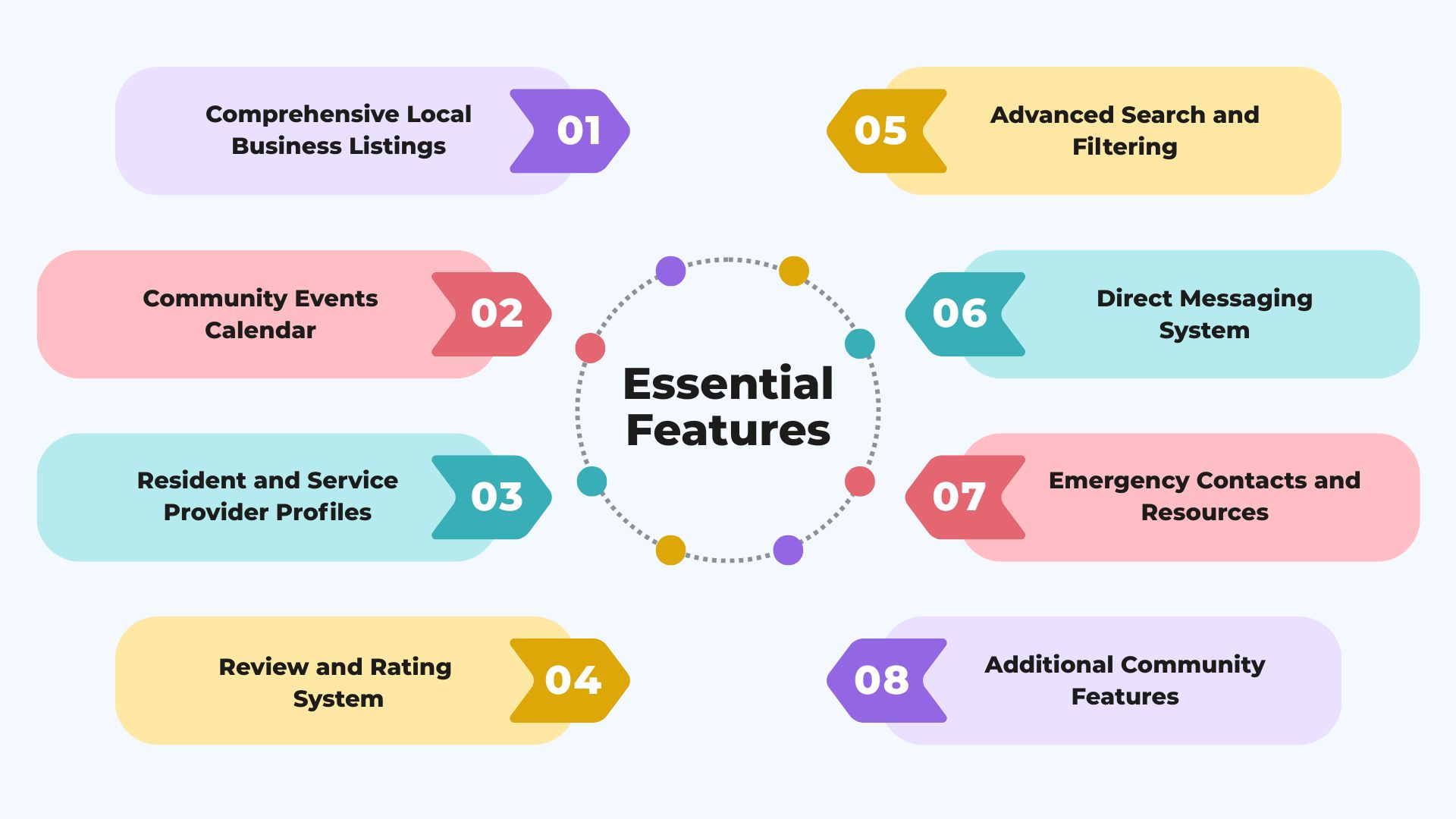
Comprehensive Local Business Listings: Your directory should accommodate diverse business types with relevant information fields. A restaurant needs operating hours, cuisine type, and delivery options, while a contractor requires licensing information, service area, and project types. Category-specific custom fields ensure each business presents exactly the information residents need to make informed decisions.
Community Events Calendar: Neighborhoods come alive through events: farmers markets, community cleanups, local festivals, and neighborhood watch meetings all deserve prominent placement. An integrated events system with location details, registration capabilities, and other useful details keeps residents engaged and informed about opportunities to participate in community life.
Resident and Service Provider Profiles: Connection happens when people can reach each other easily. Profile systems allow neighbors to introduce themselves, share skills they offer, and build recognition within the community. Service providers showcase their expertise, licenses, and completed projects, creating transparency that builds trust before the first contact happens.
Review and Rating System: Authentic feedback from actual neighbors carries immense weight. A robust review system with verification mechanisms ensures credibility while giving service providers opportunities to respond and demonstrate their commitment to customer satisfaction. This feature transforms your directory from a simple listing site into a trusted community resource.
Advanced Search and Filtering: Residents need to find exactly what they’re looking for quickly. Location-based search, category filtering, service-specific attributes, price ranges, and availability calendars all contribute to user experience that keeps people returning to your platform instead of resorting to generic search engines.
Direct Messaging System: Facilitating communication between residents and service providers removes friction from the connection process. In-platform messaging keeps conversations organized, creates records of interactions, and allows community managers to provide support when needed.
Emergency Contacts and Resources: Every neighborhood directory should provide quick access to essential information: local police and fire departments, hospitals, utilities, schools, and community organizations.
Additional Community Features: Your neighborhood directory can extend beyond business listings to include features that facilitate neighbor-to-neighbor interactions. A classified ads section allows residents to buy, sell, or give away items like furniture, appliances, kids’ equipment, and tools that naturally circulate through neighborhood networks. A service request board lets residents post specific needs, from babysitting to roof repair, and receive responses from qualified providers, creating opportunities for service providers to discover demand. These features add tremendous value while increasing platform engagement and return visits.
Now that you understand the value and features of a neighborhood directory, let’s walk through the practical steps of bringing your platform to life. We’ll use WordPress paired with HivePress — a powerful business directory plugin that provides all the listing, search, and marketplace functionality you need. HivePress is specifically designed for building directories and marketplaces, offering extensive free features with optional premium extensions as your platform grows.
Before diving into technical setup, secure the essential elements that will host your directory. Choose a domain name that’s catchy and easy to remember. A great domain name sticks in people’s minds and immediately tells them what your platform is about and where it serves.
Select reliable WordPress hosting that can accommodate directory functionality without performance issues. Your platform will host images, handle search queries, and manage multiple user accounts, so adequate resources matter. Many hosting providers offer managed WordPress plans that handle technical maintenance, allowing you to focus on community building rather than server management. Pay close attention to renewal prices when selecting a host: promotional rates for the first year can be attractive, but renewal costs sometimes increase significantly and can impact your long-term budget.
Once hosting is arranged, install WordPress through your hosting provider’s control panel. Most modern hosts offer one-click WordPress installation that completes setup in minutes, requiring no technical knowledge beyond following simple prompts.
HivePress serves as the engine powering your neighborhood directory, providing all the core marketplace and listing functionality you’ll need. Navigate to your WordPress dashboard, select Plugins, then Add New. Search for “HivePress” and install the free plugin directly from the WordPress repository.
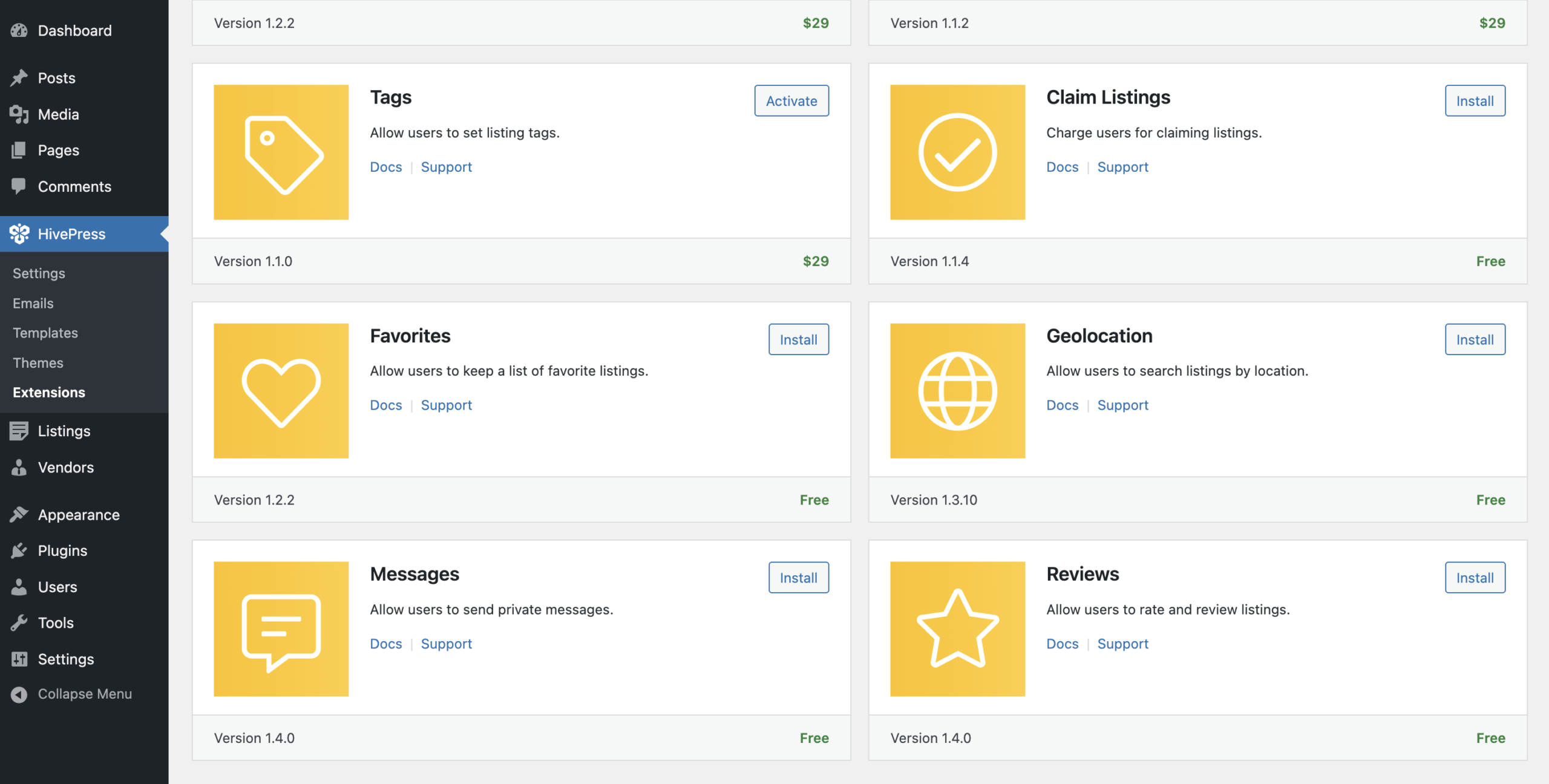
After activation, explore HivePress > Extensions to discover additional functionality. The free extensions particularly valuable for neighborhood directories include Reviews (for building trust through feedback), Messages (enabling direct communication), and Geolocation (for location-based searches that help residents find nearby services).
Your theme determines how visitors experience your directory visually and functionally. HivePress works seamlessly with most popular WordPress themes like Astra, OceanWP, and others, giving you flexibility in design choices.
For this guide, we’ll use the native ListingHive theme, which is built specifically to work smoothly with HivePress and comes optimized for directory functionality out of the box. ListingHive offers a clean, modern design that emphasizes local businesses and services, includes mobile-responsive layouts essential for residents browsing on phones.
Since ListingHive is free, you can easily find it by navigating to Appearance > Themes > Add New and searching for “ListingHive”. Install and activate the theme to get started with a directory-optimized design right away. If you prefer to build over existing content rather than starting from scratch, you can import the demo content that comes with the theme — this gives you a pre-built structure to customize and adapt to your neighborhood’s needs.
Organizing your directory into logical categories helps residents navigate efficiently and find exactly what they need. Consider the natural ways people think about services and businesses in your neighborhood when designing your structure.
Navigate to Listings > Categories and begin building your category tree. Start with broad categories like “Home Services”, “Restaurants & Dining”, “Health & Wellness”, “Retail & Shopping”, “Events”, “Job Board”, and “Community Organizations”. Within each broad category, create subcategories that provide more specificity, e.g., under “Community Organizations”, you might include “Recycling Points”, “Healthcare Facilities”, “Government Offices”, and “Emergency Services”.
For each category, add a clear name and brief description explaining what belongs there. Upload relevant category images that create visual distinction and help users quickly identify sections. This hierarchy allows residents to drill down from general needs to specific services efficiently.
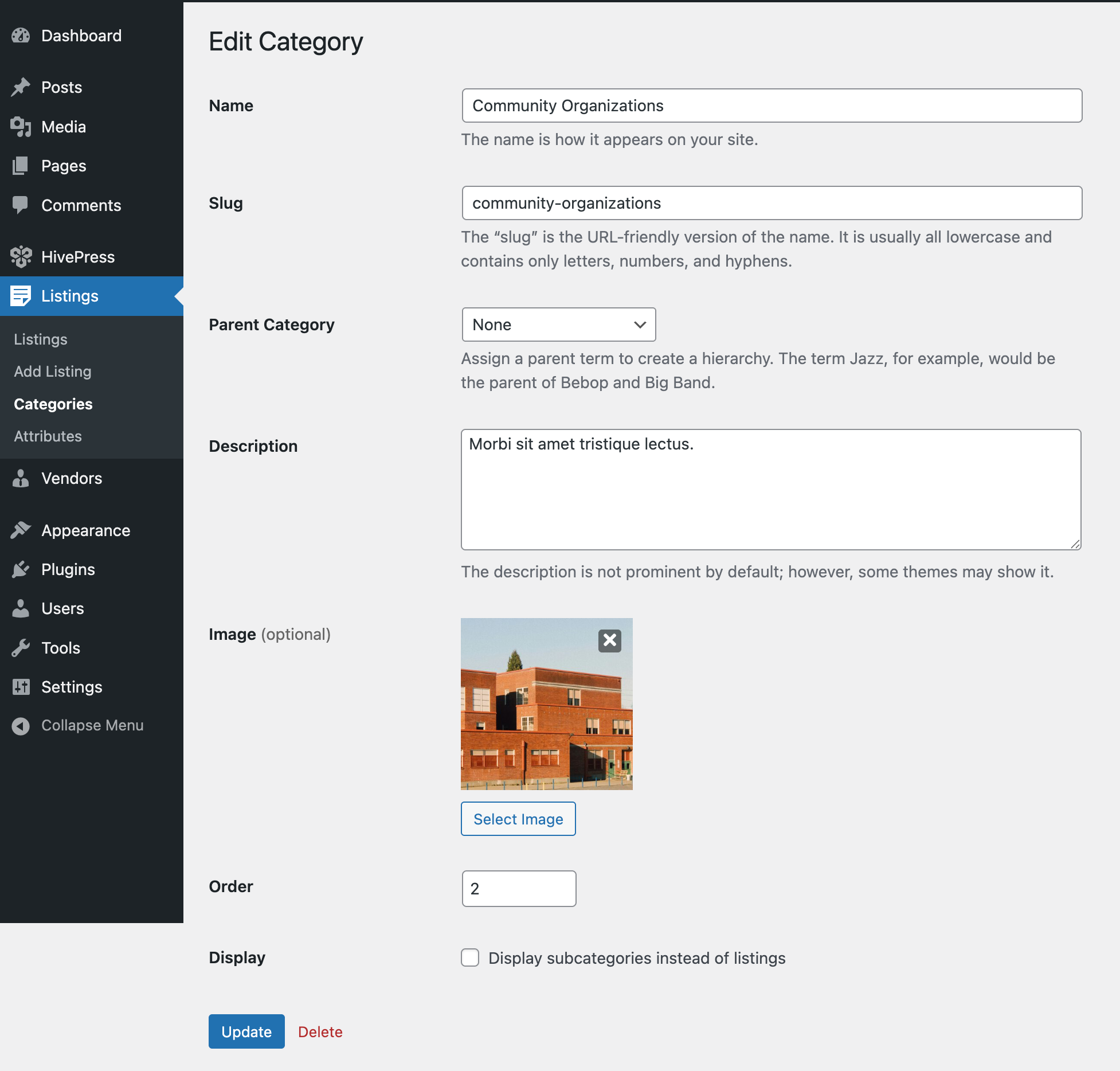
The same process applies to vendor categories if you’re organizing businesses separately from their individual service listings.
All text strings throughout your directory can be customized using the free Loco Translate plugin. This means you can change default terms like “Vendors” to “Neighbors” or “Service Providers,” and adjust “Listings” to “Services” or any terminology that better reflects your neighborhood’s character. This simple customization helps create a more community-oriented feel for your platform.
Generic listing forms fail to capture the specific information that makes your directory valuable. Custom fields ensure businesses provide relevant details that residents actually need when making decisions.
Access Listings > Attributes to start adding custom fields. Create attributes like “Accepted Materials” (types of waste the recycling hub accepts), “Price” (helping residents understand affordability), and “Years in Business” (building credibility through experience).
For each attribute, configure editing settings that control how businesses enter information. Choose appropriate field types: text for descriptions, numbers for capacity or pricing, checkboxes for yes/no questions, and dropdowns for predefined options. Enable the editable option so businesses can update information themselves, reducing your administrative burden.
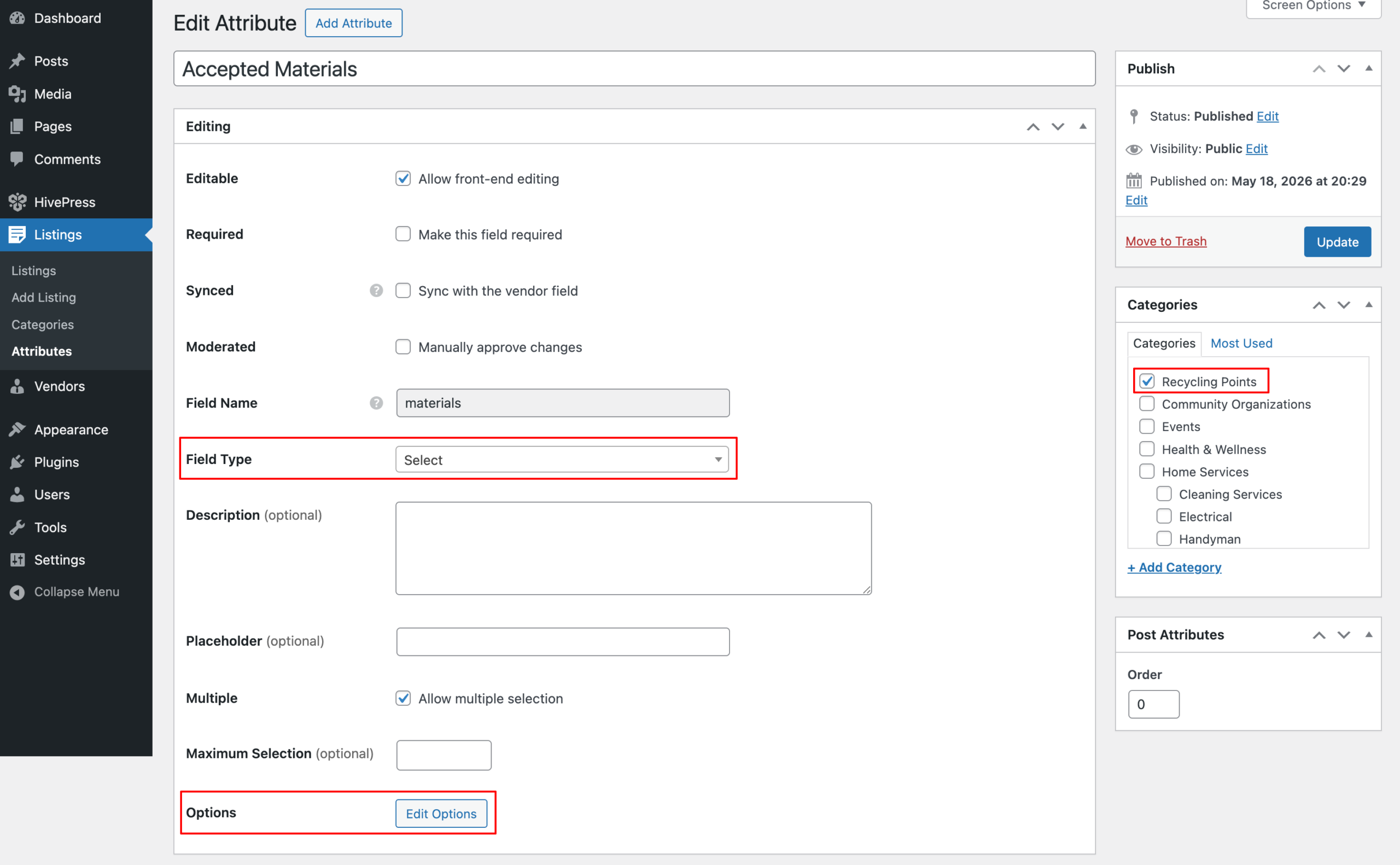
Category-specific fields keep forms relevant and streamlined. “Delivery Available” matters for restaurants but is meaningless for plumbers. “Licensed and Insured” applies to contractors but not to retail shops. Assign attributes to specific categories so businesses only see fields relevant to their service type.
Configure search settings to determine which attributes become filters on your search page. Making “Accepted Materials” filterable allows residents to find businesses serving their specific location.
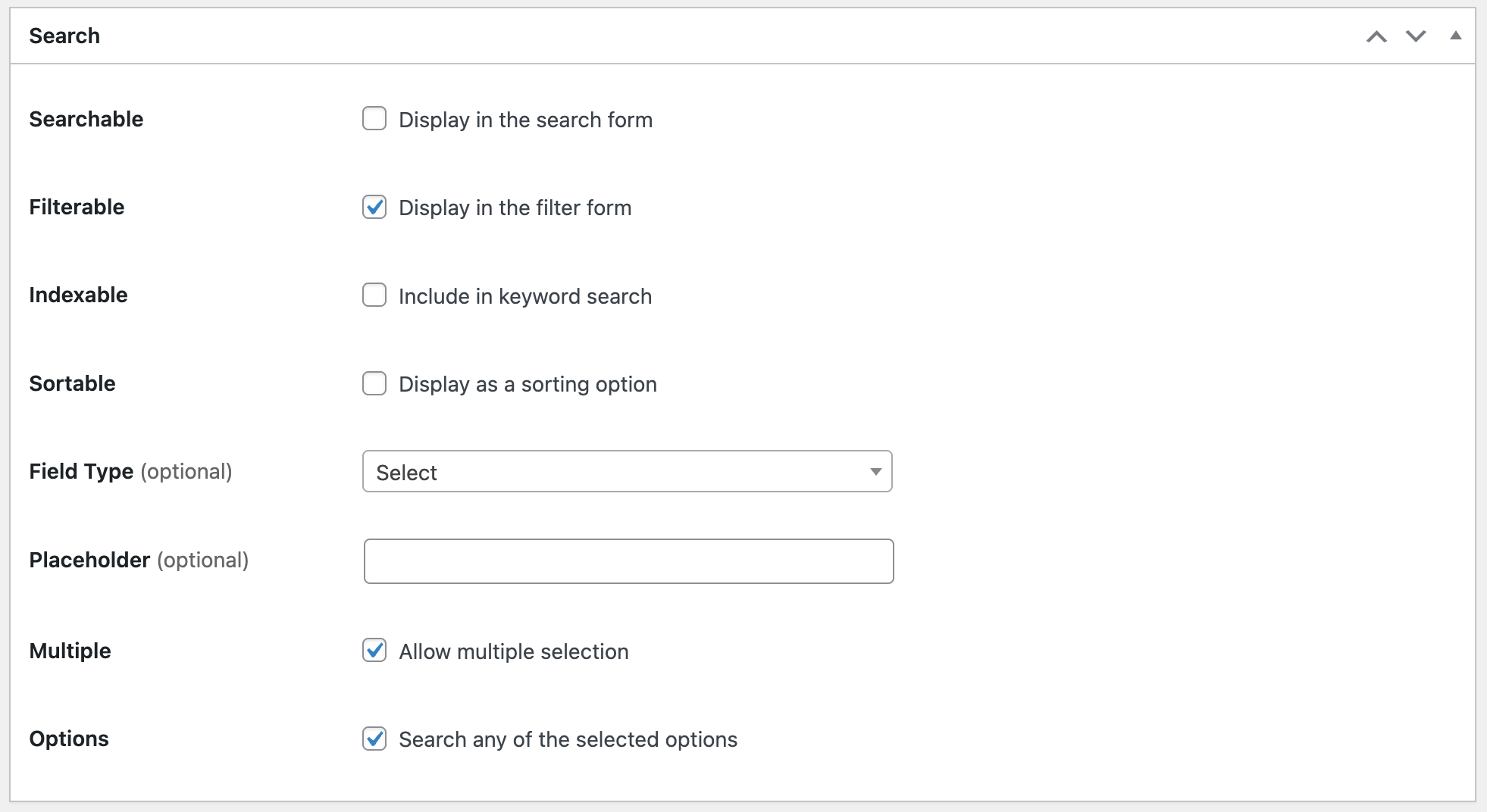
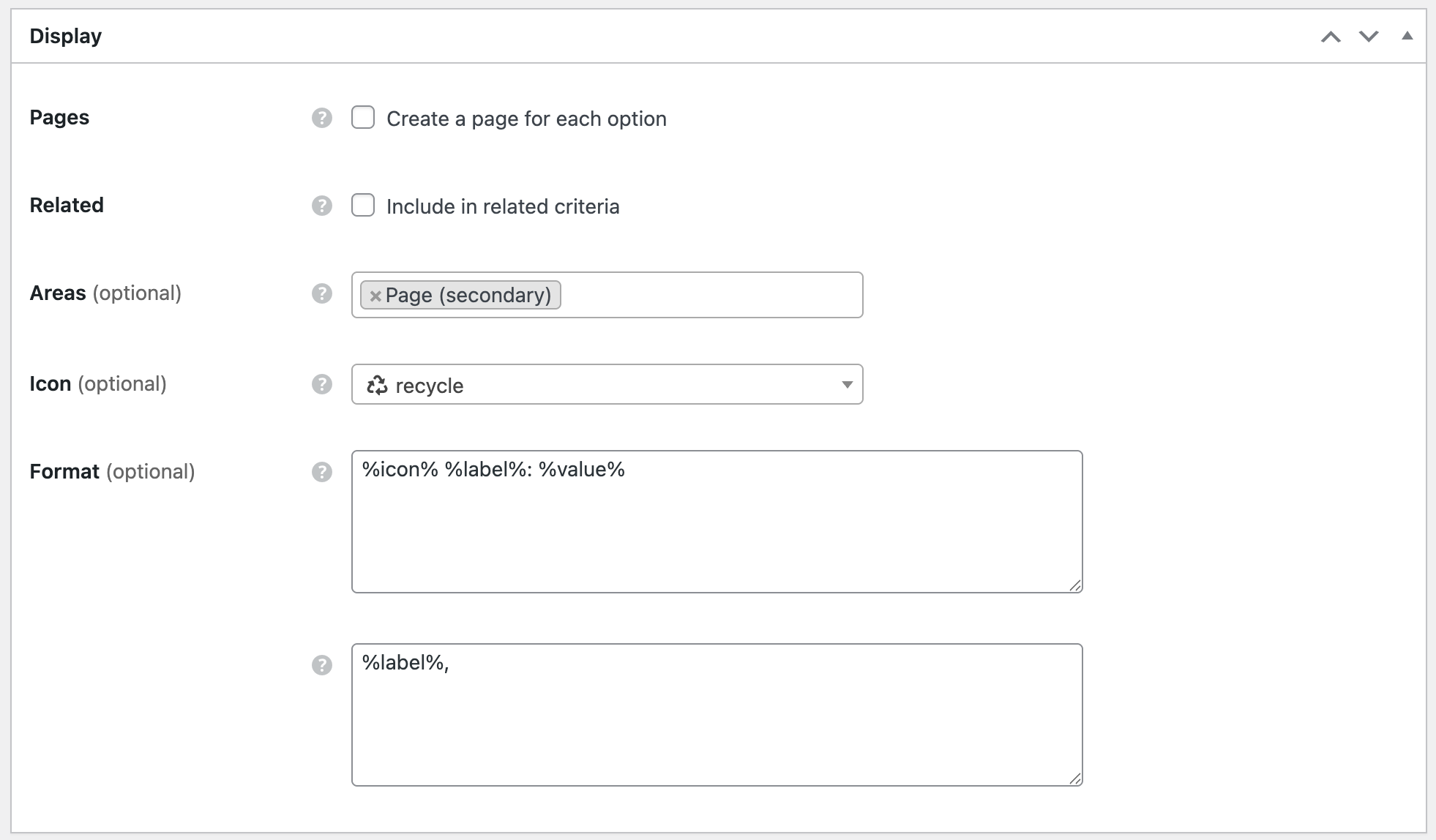
Create custom fields for your vendor profiles using the same process, accessed through Vendors > Attributes. This might include “About the Owner”, “Certifications”, “Service Philosophy”, or “Community Involvement” — information that helps residents connect with the people behind local businesses.
Your directory needs several key pages that guide visitors, explain functionality, and establish credibility. Start with your homepage, which serves as the entry point for both residents and businesses.
If your theme includes a pre-built homepage, customize it by going to Pages > Home and using the WordPress block editor. Replace generic placeholder content with neighborhood-specific information, update images to reflect your local area, and refine messaging to resonate with your community. Add compelling headlines that immediately communicate value, incorporate search functionality prominently so visitors can start finding what they need instantly, and showcase featured businesses or recent reviews to demonstrate active community participation.
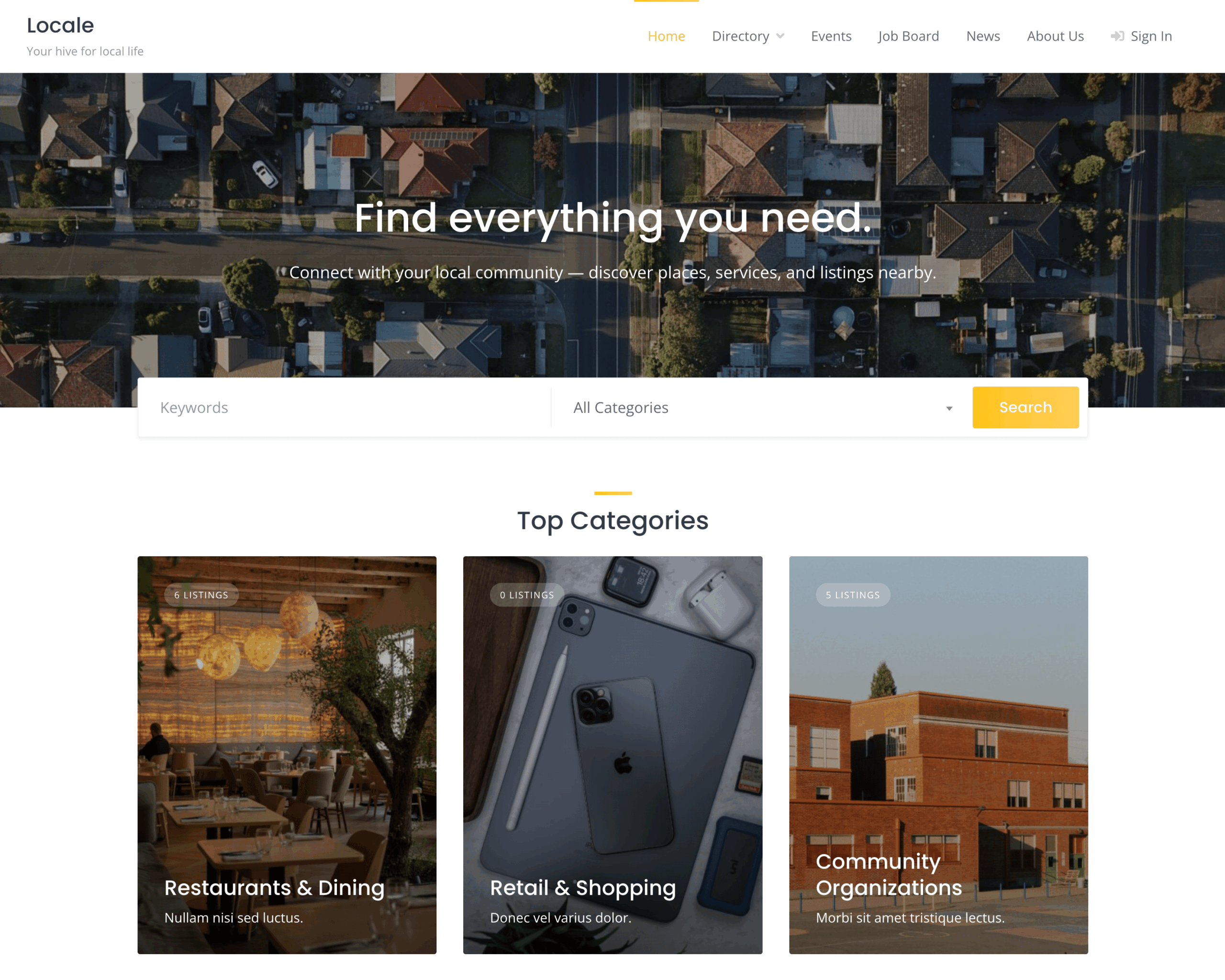
Create a dedicated listings page by navigating to Pages > Add New and naming it “Directory” or “Listings”. In HivePress > Settings > Listings, designate this as your listings page where all business and service entries will display with full search and filter capabilities.
Develop a resource center or blog section where you’ll share neighborhood news, highlight local businesses, publish community guides, and provide valuable content that keeps residents returning. Create a new page to serve as your blog home, then navigate to Settings > Reading and assign it as your posts page.
Essential supporting pages include an About page explaining your directory’s mission and the team behind it, a Contact page providing multiple ways to reach you, a How It Works page with separate sections for residents and businesses, and legal pages covering Terms of Service and Privacy Policy that protect both you and your users.
An empty directory fails to attract either residents or businesses. Begin by adding seed content that demonstrates value and functionality. Reach out to local businesses you personally know or have patronized, offering free listings in exchange for being early adopters. Most business owners appreciate this opportunity, particularly when you explain how the directory will drive local customers to their doors.
Create accounts for these initial businesses, then work with them to build complete profiles. High-quality listings include professional photos showcasing their work or location, detailed service descriptions that answer common questions, accurate contact information and service areas, competitive pricing information that helps residents make comparisons, and complete attribute information you configured earlier.
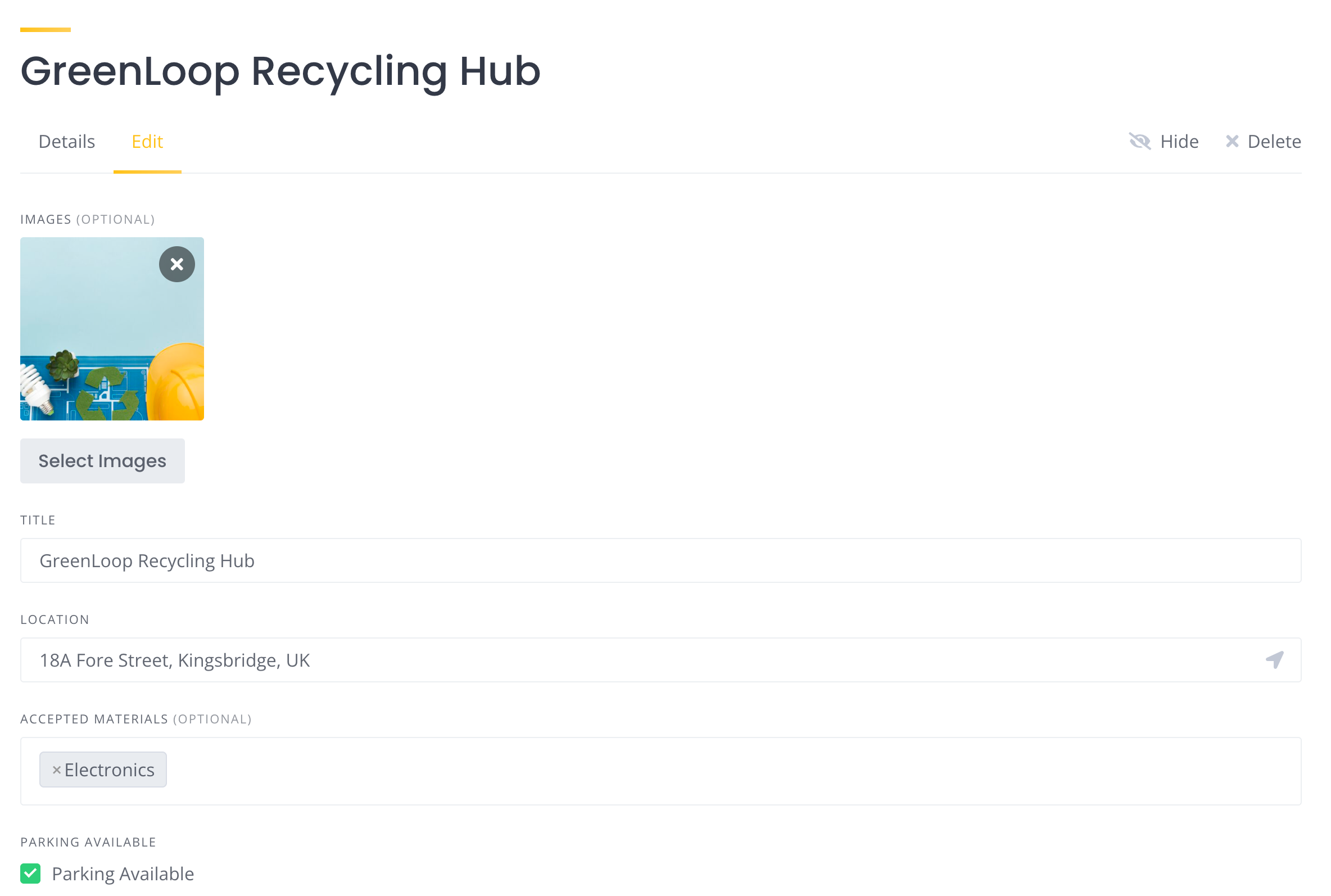
Aim for 20-30 solid listings across various categories before promoting your directory publicly. This critical mass ensures that when residents visit your site, they find genuine value and enough options to justify bookmarking and returning.
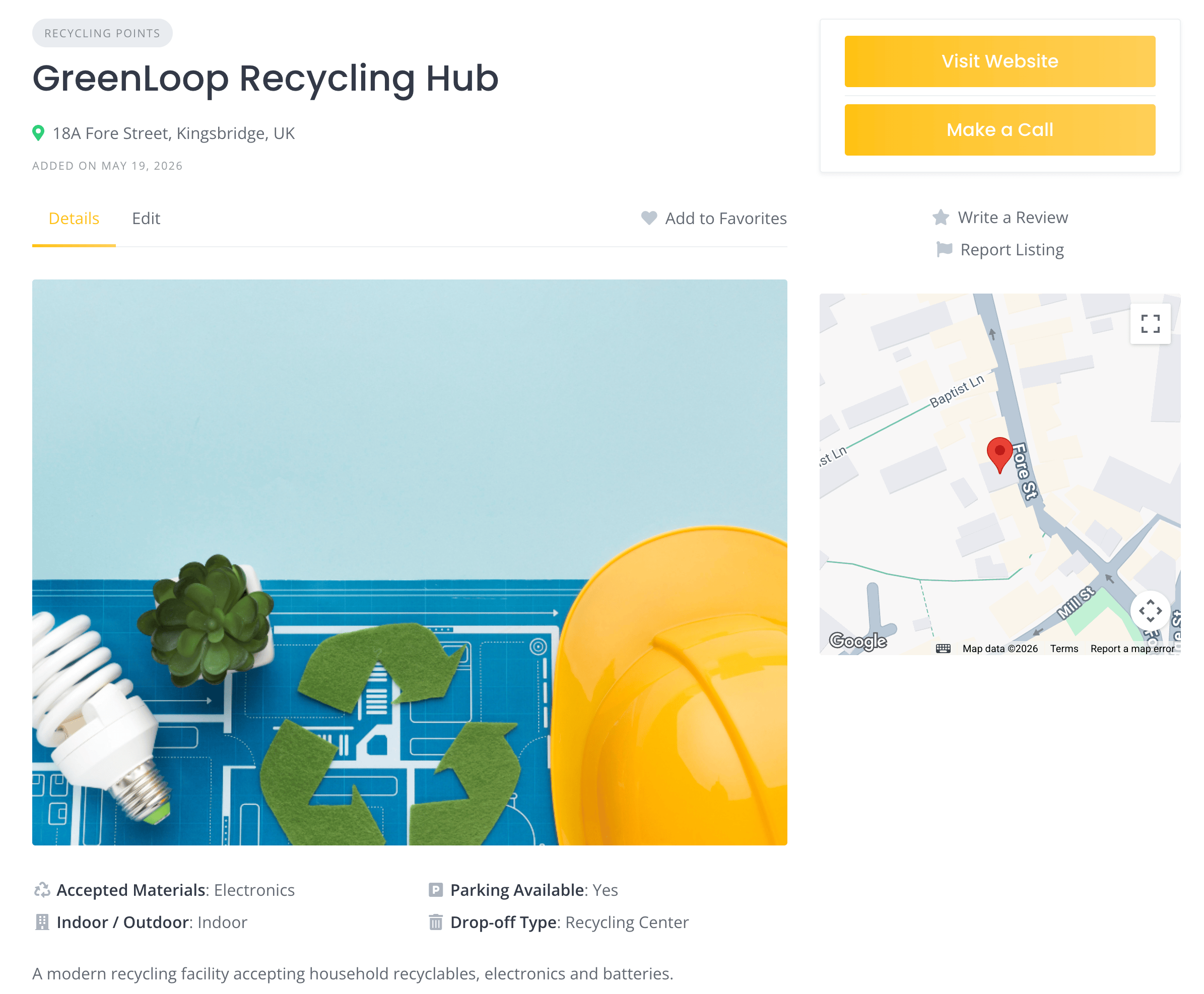
Consider creating some community resource listings yourself — local parks with details about amenities and activities, government offices with contact information and hours, schools with enrollment details and program information, and community centers with event calendars and facility rental information. These non-commercial listings provide immediate practical value while building out your directory.
Before launching publicly, experience your directory from both perspectives. Create a test business account and walk through the complete vendor registration process. Evaluate submission forms for clarity and ease of use. Verify that all custom fields display properly and make sense in context. Test image upload functionality to confirm proper display and sizing.
Switch to a resident perspective and search for services using various filters and keywords. Evaluate search results relevance and presentation. Test the messaging system by sending inquiries to your test listings.
Check that emails are delivering appropriately: registration confirmations, inquiry notifications, and any automated messages your system sends.
Mobile experience deserves particular attention since many residents will access your directory from phones. Test navigation, search functionality, messaging, and listing views on various screen sizes to ensure responsive design works correctly.
As your neighborhood directory gains traction and you understand your community’s needs better, you can expand functionality with HivePress premium extensions. These extensions address specific use cases as your platform matures.
The Requests extension allows residents to post service requests, from emergency repairs to event planning, and receive responses from qualified providers. This feature transforms your directory from a passive listing site into an active marketplace where demand meets supply.
Statistics provides vendors with detailed analytics about their listing performance, view counts, and inquiry rates. This data helps businesses understand their ROI and justifies premium membership upgrades.
Social Links allow businesses to showcase their social media presence directly on their profiles, creating additional touchpoints and building trust through established online reputations.
Beyond HivePress extensions, consider adding contact forms to your site using plugins like WPForms or Contact Form 7. These forms enable residents to submit feedback, suggest new features, report issues, or recommend businesses for inclusion. Direct community input helps you prioritize developments and ensures your directory evolves to meet actual needs rather than assumptions.
Start with the free core features, validate your concept with real users, then strategically add premium functionality as specific needs emerge from your community’s usage patterns.
Decide how you’ll generate revenue from your neighborhood directory while keeping it accessible to smaller local businesses. HivePress supports multiple monetization approaches that can work individually or in combination.
Claim Listings offer an elegant path to grow your directory while generating revenue. Remember those initial listings you created when populating your directory? The claim listings feature allows business owners to take ownership of profiles you’ve created for them by paying a one-time claim fee. Once claimed, they can enhance these listings with additional photos, detailed descriptions, and updated information.
Membership Plans provide recurring revenue through subscription access. Create tiered membership levels for businesses, perhaps a basic free tier and premium paid tiers that include enhanced features like featured placement in search results, homepage featuring, or access to analytics.
Ad Placements generate income from businesses seeking additional visibility. Sell banner positions on high-traffic pages, offer sponsored content opportunities where businesses can publish articles or guides, and develop email newsletter sponsorships that reach residents directly.
Commission Structures can apply to service-based transactions. Implement flat booking fees that provide predictable revenue per transaction.
Start with simple, clear pricing structures. Claim listings provide an easy entry point for businesses, while memberships and ad placements can be added as your directory grows and demonstrates value. Complicated fee structures confuse potential vendors and create administrative challenges, so begin straightforward and refine based on actual usage patterns.
Launch represents the beginning of your journey, not the destination. Growing your directory requires consistent effort across multiple areas that reinforce each other.
Community Outreach: Attend neighborhood meetings, chamber of commerce events, and local gatherings to introduce your directory. Create printed flyers for community boards, partner with neighborhood associations for cross-promotion, and approach local businesses personally to explain how the directory benefits them specifically.
Content Marketing: Publish regular blog posts that serve your community: guides to local attractions, profiles of interesting neighborhood residents, seasonal preparation tips with relevant service provider suggestions, and community event recaps that showcase businesses involved. This content attracts search traffic and gives people reasons to visit beyond immediate needs.
Social Media Integration: Create complementary social media presence on platforms your residents actually use. Share new listings, highlight positive reviews, promote upcoming events, and engage with community discussions. Social media drives traffic to your directory while keeping your platform top-of-mind.
Email Marketing: Build an email list from day one. Weekly newsletters can include new business spotlights, community updates, curated recommendations for seasonal needs, and featured listings that drive traffic back to your platform.
SEO: Optimize your directory for local search terms residents actually use. Include neighborhood names, nearby landmarks, and service-specific keywords throughout your content. Encourage businesses to maintain complete profiles with detailed descriptions that naturally incorporate search terms. Local SEO drives organic traffic that converts well since people are actively searching for services.
Continuous Improvement: Regularly solicit feedback from both residents and businesses. Survey users to understand what features would increase value, monitor analytics to identify popular categories and search terms, and adapt your directory based on actual usage patterns rather than assumptions.
That’s it! You now have everything you need to build a neighborhood directory with WordPress and HivePress business directory plugin.
Your neighborhood possesses unique character, needs, and opportunities. The flexibility of WordPress and HivePress allows you to create a directory that reflects these specifics rather than forcing your community into a generic template. Begin with the essential features outlined here, listen carefully to your users, and evolve your platform based on what your neighborhood actually needs.
If you’d like to see real-world examples of neighborhood directories built with HivePress, check out the HivePress showcase page where you can explore live directories and draw inspiration from how other communities have implemented their platforms.

Increase user engagement on your website with search alerts.

Build your own job portal website without any coding skills, using WordPress.

Create and monetize a real estate directory website in 6 steps.